When you execute your query and you have indicated that you DO NOT want to "Display Results in Navigator" you will see all of the message records returned by your query in the Query Results tab when you click the Execute button.
NOTE: You MUST click the Execute button to see query results!
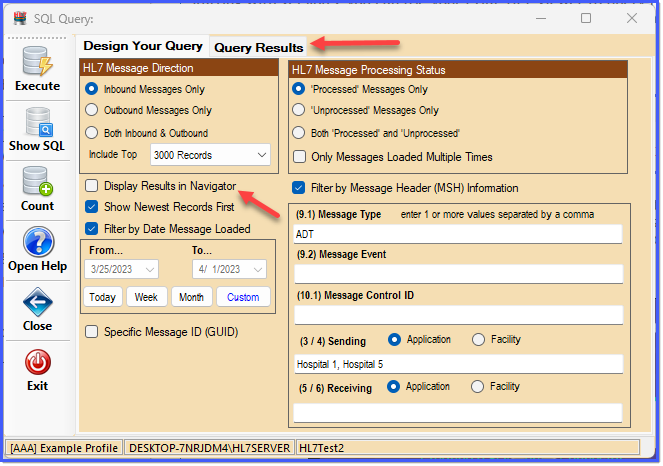
The SQL Query Window
After you execute your query you will see all of the message records returned by your query in the Query Results tab.

The Query Results Tab
After you execute your query you will see all of the message records returned by your query in the Query Results tab. By default you will notice that ALL records are selected. You can change this by clicking the Select All or Unselect All buttons, OR you can click the checkbox in the Selected column of the messages list.
Once you have selected all of the records you wish to add to your message store in the main window, just click the Add To Message Store button and all records selected will be downloaded into your current message store in the main window.
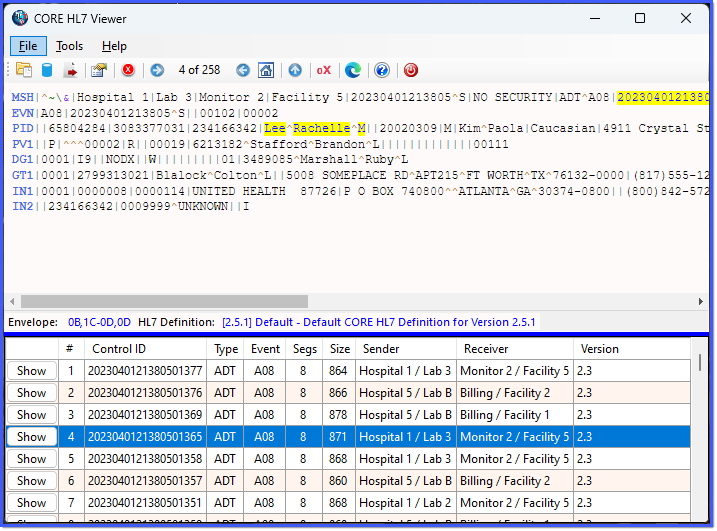
All Messages Now In The Message Store
