While you CAN edit your CORE HL7 C# Scripts right from within your Script Library, it's not a very pleasant experience. Our code editor is designed primarily to make it easy to view your script code providing a syntax highlighting style that programmers will recognize and be familiar with. We're proud of it, BUT, it's not a great editor and experienced programmers will find themselves frustrated trying to use it. Our answer to this is DON'T. Use your favorite C# code editor instead. You can use Microsoft Visual Studio, or any other code editor. We have tried to make it extremely easy to get the code in and out of your Script Library, so use whatever code editor you like.
For instance, to use VSCode, which is a FREE highly popular code editor all that you have to do is:
•Install VSCode (just Google Download VSCode).
•Open it and create a new empty C# file.
•Copy the C# code from your CORE HL7 Script and Paste it directly into VSCode.
•Make whatever changes you need and then Copy All of the VSCode to the clipboard, Edit your CORE Script, and Paste it into your CORE Script.
•Save your CORE HL7 C# Script (it will compile automatically and show errors if you made a mistake).
•That's it you are done.
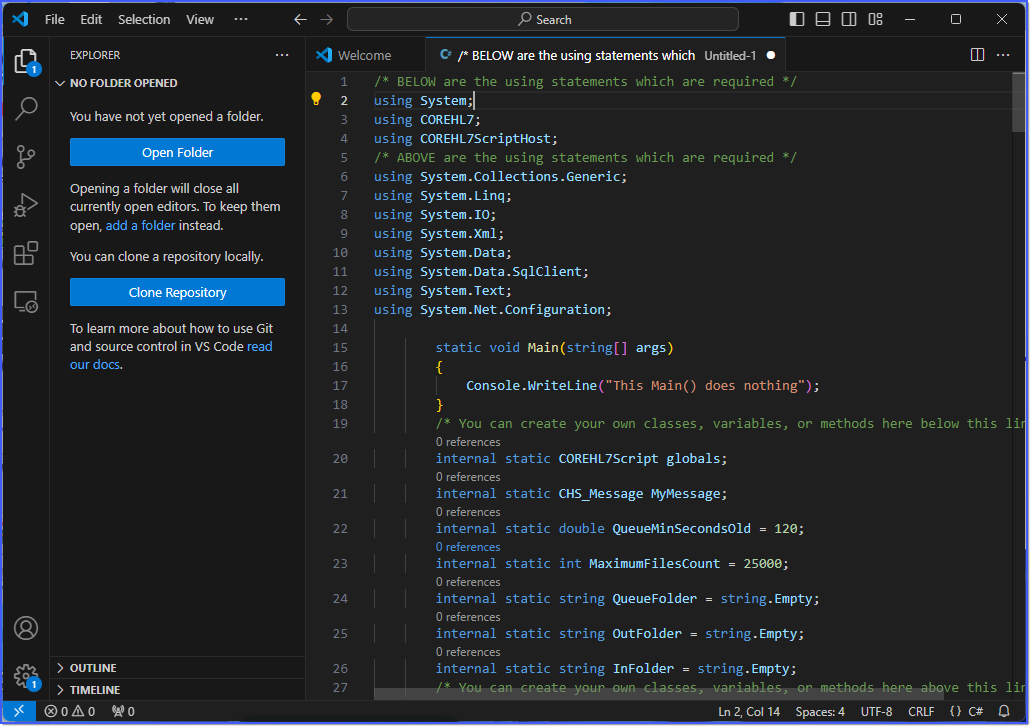
Using VSCode To Edit CORE HL7 Scripts
