Coming in Version 3.5
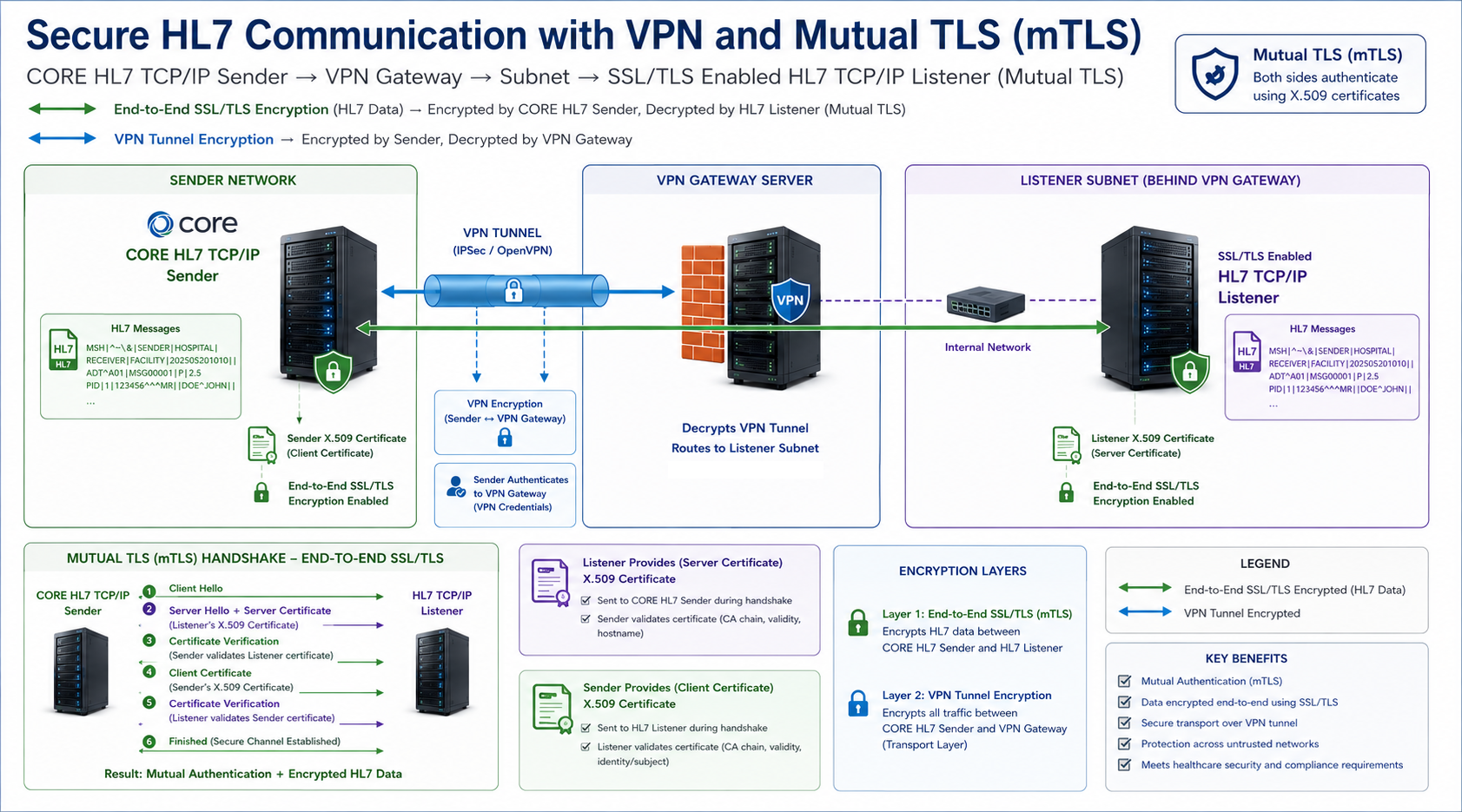
The most common question we get here is: Do I need to set up bidirectional SSL?
The answer is that your HL7 Listener Trading Partner will be the one to tell you if they require bidirectional SSL. If they DO NOT and you set it up anyway it is most likely that your certificate will just be ignored OR your connection might be rejected by the Listener for sending a certificate when they didn't expect it.

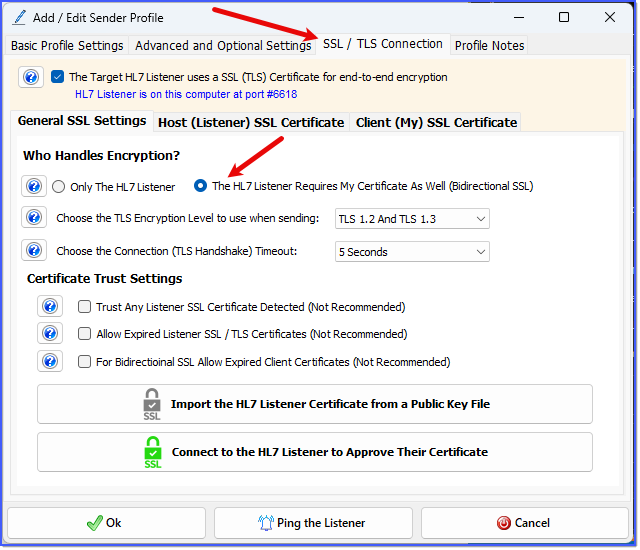
SSL / TLS Settings (Bidirectional)
In the General SSL Settings tab when you check The HL7 Listener Requires My Certificate As Well (Bidirectional SSL) you will see that a 3rd tab appears named Client (My) SSL Certificate.
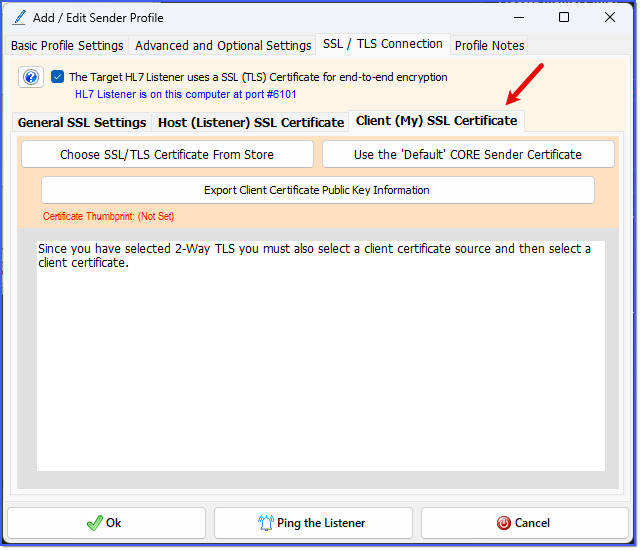
My Certificate Settings (Empty)
In this tab you will configure which SSL / TLS certificate your CORE HL7 Sender profile will use in your bidirectional SSL connections. Here you have 2 options:
•You can choose a trusted certificate installed on the current machine. To do this click the Choose SSL/TLS Certificate From Store button.
•OR you can elect to use the 'Default' certificate created by the CORE HL7 Sender. To do this click the Use the 'Default' CORE Sender Certificate button.
Where would I get a Trusted SSL / TLS certificate? See 3rd Party SSL Vendors.
Can I create my own SSL / TLS certificate? Yes, see Creating Your Own Certificate. IMPORTANT NOTE: If you create your own certificate (or if you purchase one) you MUST import that certificate into the Windows Certificate Store for the local machine AND into the Trusted Root Certification Authorities Certificate store.
