CORE HL7 Postmaster

Created with the CORE HL7 API Libraries for .Net 8
You create Matching Instructions to filter HL7 messages. If on a HL7 Data Source which allows Matching Instructions (not all of them do) only messages which "Match" the Matching Instructions will be dispatched into Central Distribution. For HL7 Destinations the Matching Instructions will determine which HL7 messages are "sent" to that Destination.
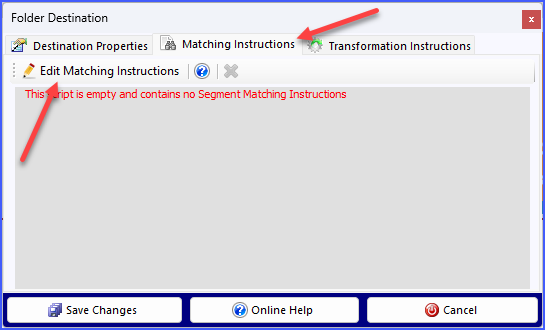
Getting to the Matching Instructions
You gain access to view / edit the Matching Instructions for any Postmaster object in the same way. Edit the object (whether Destination or Data Source) and then go to the Matching Instructions tab and click the  Edit Matching Instructions button to open the CORE HL7 Search Matching Instructions window. If there are Matching Instructions already present you can remove them by clicking
  on the toolbar.
If your Postmaster object is a Destination which also has Transformation Instructions be aware of the fact that Matching Instructions are ALWAYS evaluated BEFORE Transformation Instructions.
Now just follow the instructions in the YouTube video below.

Creating and Editing Matching Instructions
